⬆️
New tracks on top
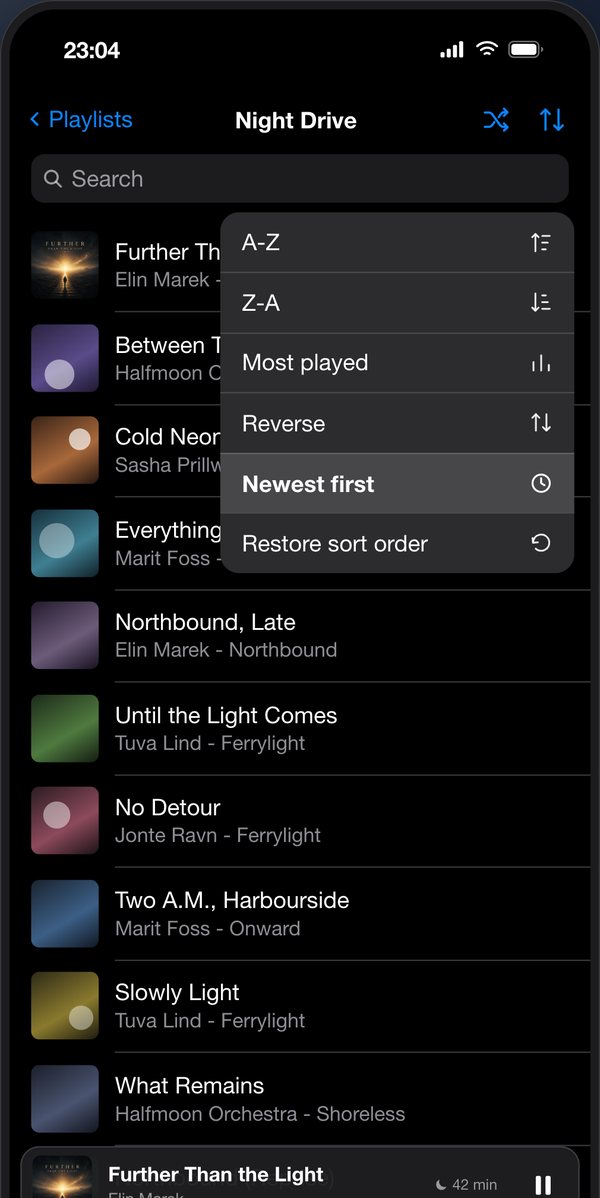
That is why this app exists. In the Music app, newly added tracks end up at the very bottom, and you scroll past half the list every time. In ListPlayer the newest comes first – and if you want the original order back, it is one tap away.
🌙
Sleep Timer
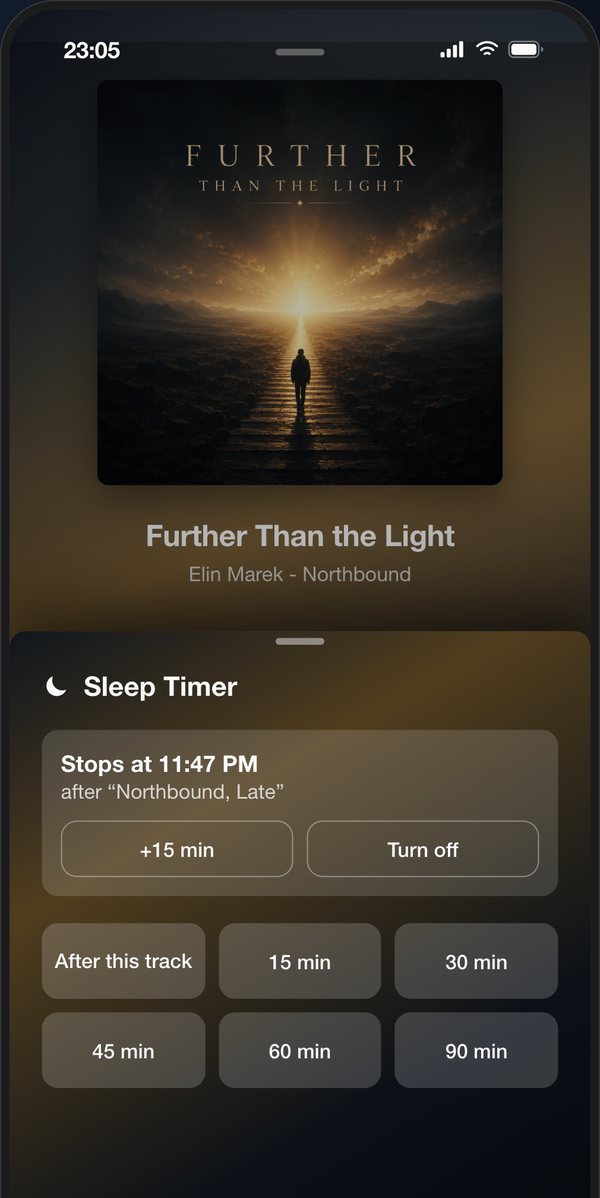
After this track, or after 15, 30, 45, 60, 90 minutes. The music does not cut out mid-chorus, it ends when the current track ends – and it runs out even when the app has long been closed.
🎵
All playlists at a glance
ListPlayer lists every playlist in your Apple Music library, clearly arranged – just tap and start playing.
▶️
A player of its own
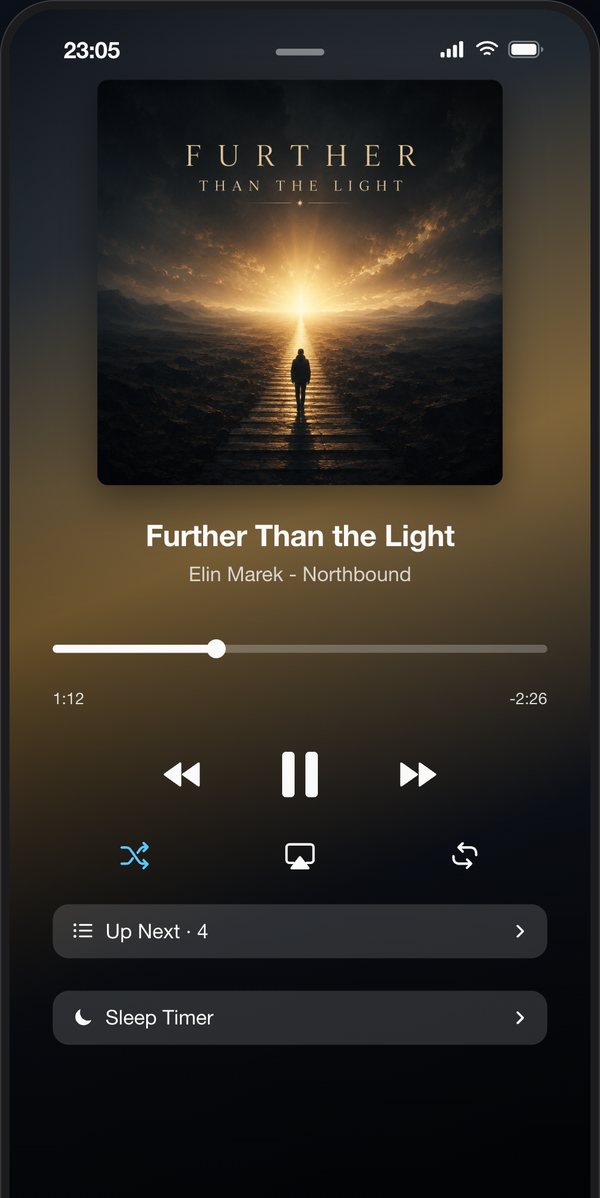
A clean, dedicated player with shuffle, repeat and slider navigation. Focused on the essentials – playing your music.
🎨
Colors from the album art
The interface adapts automatically to the current album cover – every track gets its own color scheme.
🌌
The constellation
Once the music has faded out, your album cover dissolves into its own colours and becomes a night sky. Every album makes its own constellation – you see it the next time you wake up and open the app.
🔊
AirPlay output
Pick your output device right in the player and stream your music via AirPlay to speakers, Apple TV or headphones.
📊
Flexible sorting
"Newest first" is a menu entry of its own, alongside A–Z, Z–A, most played and "Reverse". And "Restore sort order" really does give you the order of the Music app.
🌐
Four languages
ListPlayer is fully available in German, English, Spanish and French and optimized for iPhone.
🔒
Private & ad-free
No account, no ads, no tracking. ListPlayer accesses your library locally only – your data stays on the device.
⚡
Light & fast
A lean design without clutter – loads quickly and is ready instantly, whenever you want to listen.